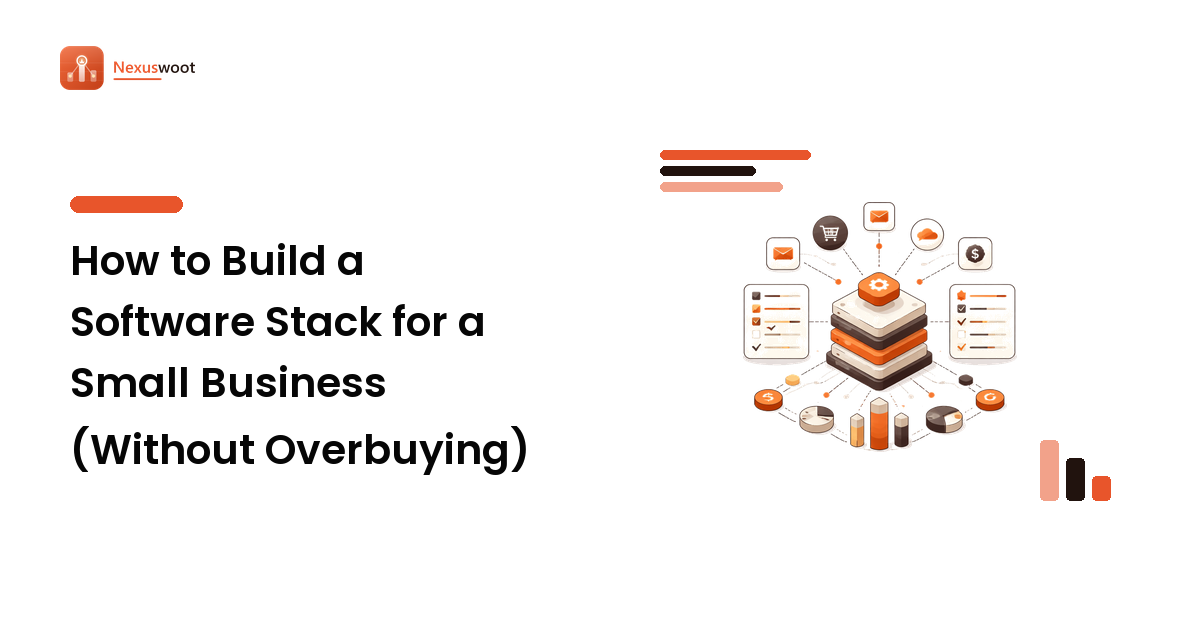
A Shopify store looks like one piece of software. It is not. By the time the store is doing real volume it is usually eight to fifteen separate subscriptions — reviews, email, search, subscriptions, shipping, analytics, support — stitched together with app integrations that nobody documented. Each one was added to solve a real problem. Together they are a monthly bill nobody has audited and a checkout that gets slower every quarter.
The takeaway up front: the platform decision is the easy part. The stack around it is where the money leaks, and the honest answer for a lot of stores is that the leak is not a missing app at all — it is that traffic arrives and does not convert. Teams like Zak-Digi Limited, an eCommerce solutions provider that handles store development, conversion optimisation, SEO and digital marketing together, exist because those four things fail as one problem and get bought as four separate ones. This guide covers what to run yourself, what to pay for, and where the line sits.
Start from the job, not the app store
The Shopify app store has thousands of listings and a review system that rewards volume, not fit. Browsing it is the worst possible way to build a stack, for the same reason browsing a SaaS directory is the worst way to pick a CRM: you end up buying the best-marketed answer to a question you never wrote down.
Write the jobs down first. For most stores the real list is short:
- Get the product found (search, content, ads)
- Get the visitor to trust the page (reviews, imagery, delivery promise)
- Get them through checkout without friction
- Get them to come back (email, SMS, loyalty)
- Run the back office (inventory, shipping, returns, accounting)
Every subscription you pay should map to a line on that list. Anything that does not map to a line is either a duplicate of something Shopify already does natively, or a tool somebody installed for a campaign that ended eighteen months ago. That audit alone usually recovers a couple of hundred a month.
The categories that earn their fee
Some app categories genuinely pay for themselves at small volume. Others only make sense past a threshold.
Almost always worth it:
- Email and lifecycle marketing. Abandoned cart, post-purchase, and winback flows are the highest-return automation a store runs. This is the one category where a free plan is usually a false economy — the flows, not the newsletters, are the product.
- Reviews and user-generated content. Product pages without reviews lose conversions and lose rich-result eligibility in search at the same time. The cheapest tier of a credible reviews app beats the most expensive tier of a bad one.
- Site search. Native Shopify search is adequate for a fifty-product catalogue and a real problem at five hundred. If a meaningful share of your sessions use search, the upgrade pays back fast.
Worth it past a threshold:
- Subscriptions and recurring billing — only once you have a product people genuinely re-buy on a cycle.
- Advanced shipping and fulfilment rules — once you have more than one warehouse, rate table, or country.
- Loyalty programmes — once repeat rate is high enough that a small increase moves revenue more than the fee.
Usually a duplicate: page builders that fight your theme, popup apps that do what your email tool already does, and analytics dashboards that re-plot what is already in Shopify's own reports and Google Analytics.
Pricing models compound differently
This is the part stores get wrong, and it mirrors the general stack-building discipline: the billing mechanism matters more than this month's number, because the mechanism is what scales with you.
- Flat monthly. Predictable. Easiest to audit. Gets relatively cheaper as you grow.
- Per-order or per-transaction. Looks trivial at 200 orders a month and becomes one of your biggest line items at 5,000. Model it at three times current volume before you commit.
- Per-contact or per-email-sent. Your list only grows. Check what happens to the bill at double the subscribers, and check whether unengaged contacts are billable — that single detail changes the effective price by a third for a lot of stores.
- Percentage of revenue. The most expensive model there is if the app is doing something a flat-fee competitor also does. Justified only when the tool carries real risk on your behalf.
The audit that matters: total app spend as a percentage of revenue, reviewed quarterly. If it is creeping up while conversion is flat, you are buying software instead of fixing the store.
Speed is a stack decision
Every app you install adds scripts, and scripts are the most common reason a Shopify store gets slower after launch rather than faster. Mobile conversion is where it shows first.
Three habits keep this in check. Uninstall properly — removing an app from your admin does not always remove its leftover theme code, so check the theme after every uninstall. Measure before and after — take a mobile performance reading before you add anything and again a week later, so you know what a given app actually cost you. And treat the checkout and product page as protected surfaces: an app that injects into either needs a much higher bar than one that only touches an admin screen.
Where the stack stops and the work starts
Here is the uncomfortable part. A complete, well-priced, fast stack does not fix a store that does not convert. Software is not the bottleneck for most stores at this stage — the bottleneck is that the product pages do not rank, the traffic that does arrive is not the buying kind, and the checkout leaks in a way no app will flag for you.
That is a build-and-optimisation problem, and it is usually made worse by splitting it across vendors: one shop built the theme, a freelancer does the SEO, an agency runs the ads, and nobody owns the number. When conversion drops, each of the three can point at the other two, honestly.
The alternative is one team accountable for the whole chain. Zak-Digi Limited describes itself as a one-stop shop for eCommerce needs — website design and development, conversion-rate optimisation, search engine optimisation and social media marketing under one roof, with offices in the USA, the UK and Pakistan. That model matters less because of any single service and more because of who owns the outcome: the team that built the store is also the team answering for whether it ranks and converts.
How to run the decision
If you are auditing an existing stack, take the practical path in order:
- List every recurring charge attached to the store, including the ones billed outside Shopify.
- Map each to a job from the five-line list above. Anything unmapped is a cancellation candidate.
- Model each pricing mechanism at three times your current volume, not today's.
- Check what each app costs you in speed, especially on product and checkout pages.
- Ask what the stack cannot fix — ranking, positioning, page quality, funnel design — and decide whether that work belongs in-house or with a partner.
Steps one to four you can do yourself in an afternoon. Step five is the one that decides whether next quarter looks different from this one.
FAQ
How many apps should a Shopify store run? There is no correct number, but a useful test is whether every subscription maps to a named job and an owner. Most stores that audit honestly find two or three they can cancel today with no impact — and one gap they have been ignoring for a year.
Is it cheaper to hire a freelancer per task or an agency for the whole thing? Per task is cheaper per hour and often more expensive per outcome, because nobody owns the result end to end. Freelancers work well for bounded, well-specified jobs. When the problem is "traffic is not turning into orders", that is not a bounded job — it spans build, SEO and marketing, and splitting it across three people usually means it never gets solved.
Do I need a custom theme or is a paid template enough? A good paid template is enough for most stores at launch, and staying on one longer than you think is usually the right call. Custom becomes worth it when your merchandising, product configuration or checkout flow genuinely differs from what templates assume — not because the template looks common.
What should I fix first if conversion is bad? Measure before you change anything: where in the funnel people leave, and on which device. The fix is almost always upstream of where the drop shows. High checkout abandonment often means unclear shipping costs on the product page; poor product-page conversion often means the traffic was wrong before it ever arrived.
Does SEO work on a Shopify store, given the URL structure? Yes. Shopify's collection and product URL conventions are not an obstacle at the scale most stores operate at. The real constraints are thin product descriptions duplicated from the manufacturer, collection pages with no content, and no topical content layer at all — all fixable, none of them platform limitations.
Next step
Audit the stack first — it is free, it takes an afternoon, and it usually pays for itself. Then be honest about whether what remains is a software problem or a store problem.
If it is the store, get the build, the conversion work, the SEO and the marketing from one accountable team rather than three: Zak-Digi Limited covers all four for eCommerce businesses, and states 24/7 availability at [email protected]. And when you are back to comparing individual tools, Nexuswoot has the scored, side-by-side comparisons for each category.