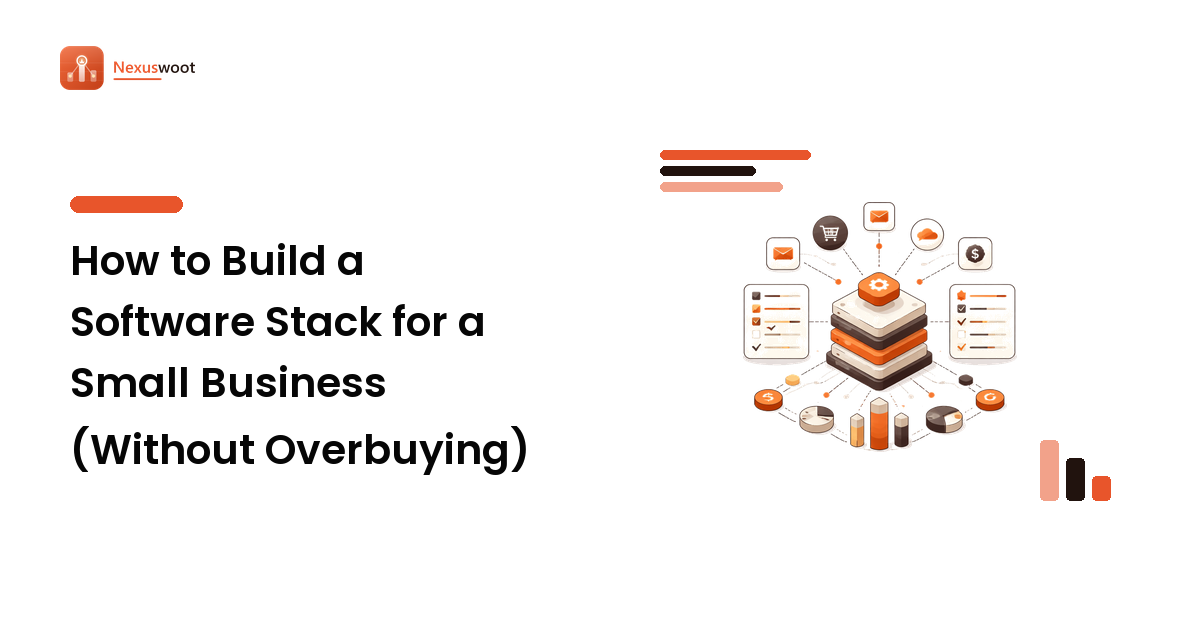
Most software stacks aren't built — they accrete. A tool gets added for one launch, another for one hire, a third because a free trial never got cancelled, and two years later you're paying eleven subscriptions, half of which overlap and none of which talk to each other. The bill is real, but the bigger cost is the friction: data re-typed between systems, reports nobody can assemble, and a team that has learned to work around its tools. Building a stack on purpose is cheaper and calmer than letting one pile up. Decide the jobs your business needs done, choose the fewest tools that do them well, and make integration the deciding factor — not the feature grid.
This is the stack-level companion to our criteria-first software evaluation framework: that guide helps you pick one tool well; this one helps the tools add up to a system.
Start with jobs, not tools
A stack is a set of jobs your business needs done, mapped to the software that does them. So start by listing the jobs — in plain language, before any product name enters the conversation:
- Reach and nurture an audience (email marketing).
- Track relationships and deals (CRM).
- Answer and support customers (live chat, help desk).
- Get found and measure demand (SEO, analytics).
- Take payment and keep the books (billing, accounting).
- Run the work itself (project management, docs, storage).
Write your real list, then mark each job core, supporting, or occasional. Core jobs are the two or three that directly make or keep revenue — those deserve the best tool and the most trial time. Occasional jobs often don't deserve a subscription at all; a spreadsheet or a free tier is the right answer until the pain is real. This triage is the whole game, because overbuying almost always happens on supporting and occasional jobs that got a premium tool they never needed.
Best-of-breed vs all-in-one: the core trade-off
Every stack lives on a spectrum. At one end, best-of-breed: the strongest specialist tool for each job, stitched together with integrations. At the other, all-in-one: a single suite that does many jobs adequately under one login and one bill. Neither wins in the abstract; the right point on the spectrum depends on your team and your jobs.
Best-of-breed wins when a job is core and its quality directly moves revenue — you want the best email platform your list deserves, not the email module bundled into something else. It also wins when different people own different jobs and each needs depth.
All-in-one wins when your jobs are all supporting-level, your team is tiny, and the cost of stitching tools together (and of everyone learning five interfaces) outweighs the extra polish of specialists. One suite that's 80% as good at everything, with data already joined up, can beat five best-of-breed tools nobody has time to integrate.
The honest middle path most small teams land on: a best-of-breed tool for each core job, and an all-in-one suite (or a couple of broad tools) covering the supporting jobs. Decide this consciously per job rather than defaulting to either religion.
Make integrations the deciding factor
The feature grid tells you what a tool does alone. Your stack's value comes from what the tools do together, and that is where accreted stacks quietly fail. Two tools that don't share data force a human to be the integration — copying contacts, reconciling numbers, exporting and re-importing — and that human eventually stops, at which point the data goes stale and the tools lie to you.
So before adding any tool, check how it connects to the ones it must work with:
- Native integrations. Does it directly connect to the specific tools you already run — not "integrates with 100+ apps" in general, but your CRM, your email platform, by name? Verify the direction and depth: does it push and pull, or only one way, and which fields?
- A real API. For anything core, a documented API is your insurance against the native integration being shallow or getting deprecated.
- A middleware fallback. Connector platforms (the Zapier-style automation layer) bridge tools that lack a native link. Useful, but treat each connection as a small ongoing cost and a point that can break silently — not a reason to ignore native fit.
- One source of truth per data type. Decide which tool owns contacts, which owns deals, which owns invoices. Every other tool should read from the owner, not keep a rival copy. Duplicated ownership is how you end up with three contradictory contact lists.
A slightly weaker tool that integrates cleanly usually beats a stronger one that strands your data on an island. Weight integration accordingly when you score candidates.
Budget for switching costs before you commit
The subscription price is the number on the pricing page. The switching cost is the number that actually decides whether a change is worth it, and it's almost always higher than it looks. When you adopt, migrate away from, or replace a tool, budget for:
- Data migration — exporting, cleaning, and importing your history, and accepting the fields that won't map.
- Re-integration — rebuilding every connection the old tool had to the rest of the stack.
- Retraining and lost productivity — the weeks where the team is slower on the new tool than the old one.
- Lock-in you're inheriting — before you enter, test the exit. Can you export your data in a usable format? A tool that's easy to leave is safer to join.
Switching costs cut both ways. They're the reason not to churn tools on a whim, and the reason to test the export door during the free trial, while leaving is still free. Factor them in when a shiny replacement tempts you: the incumbent has to be failing by more than the cost of moving before a switch pays off.
Prune on a schedule
Stacks grow silently, so shrink them deliberately. Once or twice a year, run a short audit:
- List every subscription and its annual cost. The full picture is usually a surprise, and the surprise is the point.
- Match each tool to a job on your list. Any tool that doesn't map to a current job is a cancellation candidate.
- Find the overlaps. Two tools doing the same job, or a suite feature you're paying for separately elsewhere — consolidate to one.
- Check adoption. A tool nobody logs into isn't a stack member; it's a recurring donation. Cancel it or fix the reason it went unused.
- Re-check the tiers. Usage-based and per-seat tools drift up as you grow; confirm you're on the right tier and not paying for headroom you stopped needing.
Pruning is where a consciously built stack pays off: because every tool maps to a named job, the ones that don't map are easy to spot and cheap to cut.
A stack sized to your team
The goal isn't the biggest stack or the smallest — it's the fewest tools that do your core jobs well and share their data cleanly. A three-person team and a thirty-person team doing the same jobs will build very different stacks, and both can be right. Match the stack to your headcount, your core jobs, and your team's appetite for stitching tools together — and revisit it as those change. A stack decided on purpose, with integration as the tie-breaker and switching costs on the ledger, stays a system instead of turning into a pile.
FAQ
Best-of-breed or all-in-one for a small business? Use best-of-breed for your two or three core, revenue-driving jobs, where quality matters most, and an all-in-one suite for supporting jobs where "good enough and already integrated" beats specialist polish. Decide per job, not as a blanket philosophy — most healthy small-business stacks are a deliberate mix.
How many tools should a small business have in its stack? As few as cover your core jobs well with clean data flow between them. There's no magic number, but the warning sign isn't a count — it's tools that don't map to a current job, overlap with each other, or force people to re-type data by hand.
What are switching costs in software? The full cost of changing tools beyond the subscription: migrating and cleaning data, rebuilding integrations, retraining the team, and lost productivity while everyone learns the new system. Because they're often higher than the price difference, budget them before you switch — and test the export door during the trial.
Why do integrations matter more than features? A tool's features describe what it does alone; your stack's value comes from what the tools do together. Poorly connected tools force a person to shuttle data between them, that person eventually stops, and the data goes stale. A tool that integrates cleanly with your existing stack usually beats a stronger one that can't.
How often should I audit my software stack? Once or twice a year: list every subscription and its cost, match each to a real job, cancel anything unmapped or unused, consolidate overlaps, and re-check that usage-based tiers still fit. Regular pruning stops the silent accretion that makes stacks bloated and expensive.
Build the stack, layer by layer
You've got the method: map the jobs, choose best-of-breed for the core and consolidate the rest, make integration the tie-breaker, and keep switching costs on the ledger. The remaining question — which tool wins each layer for a team like yours — is what Nexuswoot's comparison engine answers, category by category, with sourced pricing and per-criterion scores. Start with a core layer like your CRM, then compare the tools for each part of your stack on Nexuswoot and assemble it on purpose. (Disclosure: Nexuswoot may earn a commission from some of the tools it compares; rankings follow the published criteria, not payouts.)